Your photo
Climbing templates use one clear portrait, up to 10 MB. The fireworks portal is text-to-video and uses no photo.
 AI New Year Video
Give your 2027 greeting a story: reach a marble summit, rise above a golden city, or step into New Year fireworks. Explore our AI New Year greeting video generator with real samples before choosing your moment.
AI templates in preview · Public generation and purchases are closed. Try the separate free local animation today.
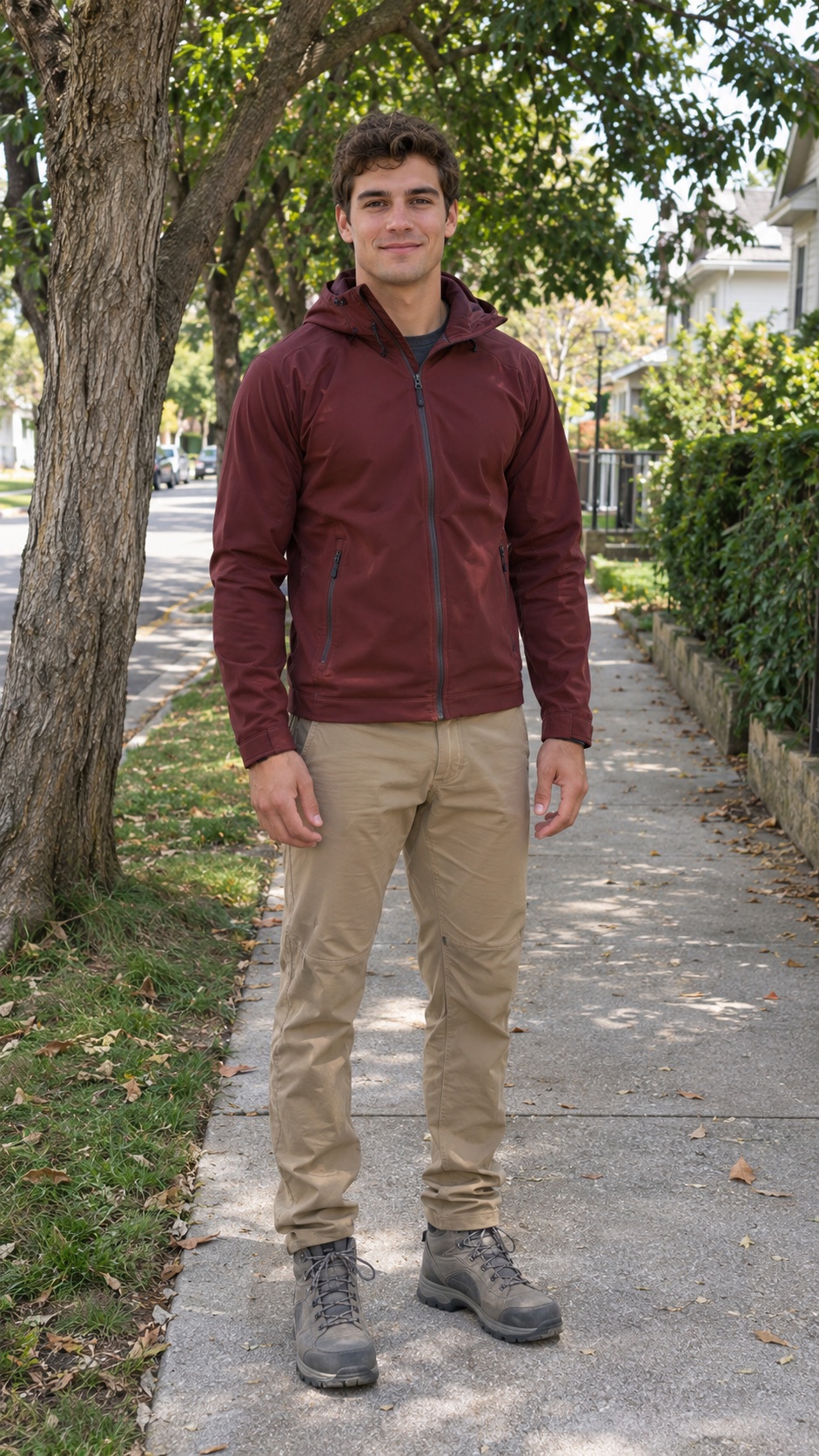
One everyday photo → a New Year video. The portrait illustrates the fictional man in this Marble 2027 sample; it was created separately and is not the original video input. Public generation opens at launch.

This is the actual photo-animation renderer, using our sample illustration. Your photo stays inside the frame; the person is not animated.
Make your greeting feel like your next chapter. Compare the real AI samples and choose a scene for friends, family or your New Year social post. Planned output: a 10-second vertical video.
Climbing templates use one clear portrait, up to 10 MB. The fireworks portal is text-to-video and uses no photo.
Pristine white marble on a mountain summit, a golden city climb, or a 2026-to-2027 fireworks portal.
Planned launch output: a 10-second, 1080p Full HD, 9:16 MP4 with music and no watermark. This is clip length, not a generation-time promise. Existing sample lengths and resolutions are labeled separately.
AI New Year Video showcases three 2027 AI video templates. Public AI generation and purchases are not open yet. Planned new output is a 10-second, 1080p, 9:16 MP4 with music. A separate free local photo-animation maker is available now; it does not generate AI character movement.
| Feature | Free local photo animation | Planned AI video generation |
|---|---|---|
| Availability | Available now | Published launch prices; public AI generation and purchases are not open yet. |
| Duration | 8 or 12 seconds | 10 seconds for new generations; sample lengths are labeled separately |
| Output | 720 × 1280 · 9:16 | 1080p · 9:16 |
| Sound | Silent | Music included in the planned output |
| File format | WebM or MP4, depending on browser support | MP4 (planned) |
| Photo processing | Photos and rendering stay on this device; no photo upload or AI inference. | Selecting a photo stays local. Submitting an available photo template sends the image for AI processing through APIMart. The portal template requires no photo. |
| Price | Free | $3.99 USD / 1 video; $9.99 USD / 3 videos; $24.99 USD / 10 videos. One-time packages, no subscription. |
Open the free local maker ↗ · Explore AI templates ↗ · Photo processing & privacy ↗
Start with a ready-made scene for a personal greeting, a family message or a vertical social post.
Choose the mood for your personal greeting: a fresh-start mountain climb, a golden celebration or a photo-free fireworks reveal. Watch a sample in the creator before deciding.
View collection ↗Start with one clear portrait and choose Marble or Golden in the creator. Preview the sample and check your photo before launch. Public AI generation is still closed; the fireworks template needs no photo.
Choose a completed video sample. Photo templates use one portrait; the fireworks portal needs no photo.
For a climbing template, choose a clear JPG, PNG or WebP portrait. Your selection stays on this device until you submit generation.
When public generation opens, sign in and use video credits to create a 10-second, 1080p MP4 with music. Download your finished New Year video and share your 2027 greeting.
Photo tip: For AI photo templates, choose a clear, well-lit portrait. Selection stays local until generation is submitted. The separate free local tool keeps the portrait still inside an animated scene.
A personal greeting, a family collection or a party pack. Planned 10-second 1080p videos with music. Pay once when purchases open; no subscription or automatic renewal.
Preview the samples today. AI generation and checkout open after launch verification; no payment is collected now.
Choosing a photo does not upload it. Review photo processing and credit-return terms before buying at launch. Photo privacy ↗ · Refunds ↗
Try the free local animation now ↗
1 AI video
$3.99 per video3 AI videos
$3.33 per video10 AI videos
$2.50 per video1 video credit = 1 AI video generation. A new version of a completed video uses another credit. Refunds ↗
The local photo-animation preview remains free and separate from AI generation. Try the free preview ↗
Check which tool each guide covers: AI sample selection, photo processing or free local export.
Plan a personalized 2027 greeting: choose Marble or Golden, prepare a clear portrait and watch the actual sample. The AI generator is in preview; no AI submission or purchase is available yet.
↗Three real AI samples and a separate free local tool serve different purposes. Here is what each demonstrates.
↗This guide covers /local-preview only: an 8- or 12-second silent browser animation, separate from paid AI generation.
↗These specifications apply only to the separate free local tool, not the AI templates above.
Open the free local maker at /local-preview. Local animations stay in this browser; download a copy to keep it.
It turns a New Year greeting into a short visual story built around the year 2027. Our Marble template shows a summit climb, Golden brings the celebration above a city, and the fireworks portal moves from 2026 into 2027. Watch our own samples to choose the scene you like.
Open the creator, choose Marble or Golden and select one clear portrait. You can compare the samples and prepare your photo now. Public AI generation is still closed while the template API is under review. When it opens, the selected template will supply the scene instructions for your generation.
Yes. Watch the AI samples or try the separate free local photo-animation maker. The local tool places your still portrait in an animated composition and exports an 8- or 12-second silent clip. It runs on your device and does not create AI climbing movements. AI purchases remain closed.
Our fireworks portal begins in a 2026 celebration and reveals a 2027 skyline, without using a personal photo. Choose it for a farewell-to-the-old-year post. The current AI collection does not include pushing a number off a cliff. You can add your own goodbye message or countdown in a video editor.
The current photo templates are designed for one person and one portrait. We do not offer a two-person climbing option. For a shared greeting, you could make individual clips when generation opens and combine them in an editor. The Family Pack provides multiple videos; it does not add a group-photo mode.
A pet-specific template is not part of our current collection. Marble and Golden are designed around an adult human portrait, so we cannot promise a usable pet result. The photo-free fireworks scene is an alternative for a greeting that you can later combine with your own pet footage.
The greeting marks a different year, and the scene matters too. Our current collection focuses on mountain and city climbs featuring 2027, plus a fireworks transition from 2026 to 2027. It is not a year-switching editor for older templates. Check each sample rather than assuming an older effect is included.
Use one sharp, well-lit portrait with your face clearly visible and some space around your head. Choose JPG, PNG or WebP, under 10 MB and at least 320 × 320 pixels. Avoid group photos, heavy filters and anything covering the face. Use an adult subject and a photo you have permission to process.
The template instructions aim to preserve the person and keep the year readable, but AI can alter facial details, hands, clothing or digits as the scene moves. A clear portrait is useful input, not a guarantee. Review the finished clip before sharing. A new creative version of a completed video uses another credit.
Planned launch output is a 10-second 1080p vertical 9:16 MP4, with music and no watermark. The existing examples are 720p samples lasting 10, 8 and 5 seconds, depending on the scene. The separate free local tool has its own export settings.
The creator works in your browser. Our templates supply fixed scene instructions, so you choose the scene and provide a portrait where needed. There is no separate filter to install. Public AI generation will open after review and launch verification; browsing the templates does not submit a generation.
The vertical 9:16 framing is suited to those feeds. Our samples show the scenes available here; we do not claim to be the original creator of a social trend or guarantee views. Add your own caption, review the music permissions and follow the platform’s AI-content labeling rules.
You can write a Spanish, English or other-language caption when you post, or add text in an editor. The current template form does not offer custom translated speech or greeting text inside the AI scene. The fireworks portal uses the years 2026 and 2027; it does not translate a spoken message.
$3.99 USD / 1 video; $9.99 USD / 3 videos; $24.99 USD / 10 videos. These are one-time launch packages with no automatic renewal. One video credit covers one generation. A confirmed technical generation failure returns the reserved credit; a new version of a completed video uses another credit. Purchases are currently closed, and the separate local animation tool remains free.
The 10-second setting describes the finished clip, not the waiting time. We have not published an AI turnaround guarantee because the public generation service is not open yet. MP4 download is planned for completed AI videos. In the free local tool, export records the 8- or 12-second animation in real time, then processes the file.
Selecting a photo stays local. Submitting an available photo template sends the image for AI processing through APIMart. The portal template requires no photo. The separate local maker renders on your device and keeps saved history in this browser. Local exports do not sync through your Google account. Download a copy before clearing browser data, and read the privacy policy for AI processing and deletion requests.
Choose a mountain-top fresh start, a golden celebration or a fireworks reveal for your 2027 post. The vertical 9:16 framing suits TikTok, Reels and Shorts. Add a timed countdown in your editor if you want one; these templates do not contain a timer.
“A new year. A little courage. Hello, 2027.#Hello2027 #Goodbye2026 #NewYear2027